
Alimia – SMS Consent for Trusted Contacts
This page documents the consent flow and disclosures used when a user adds a trusted contact to receive SMS.
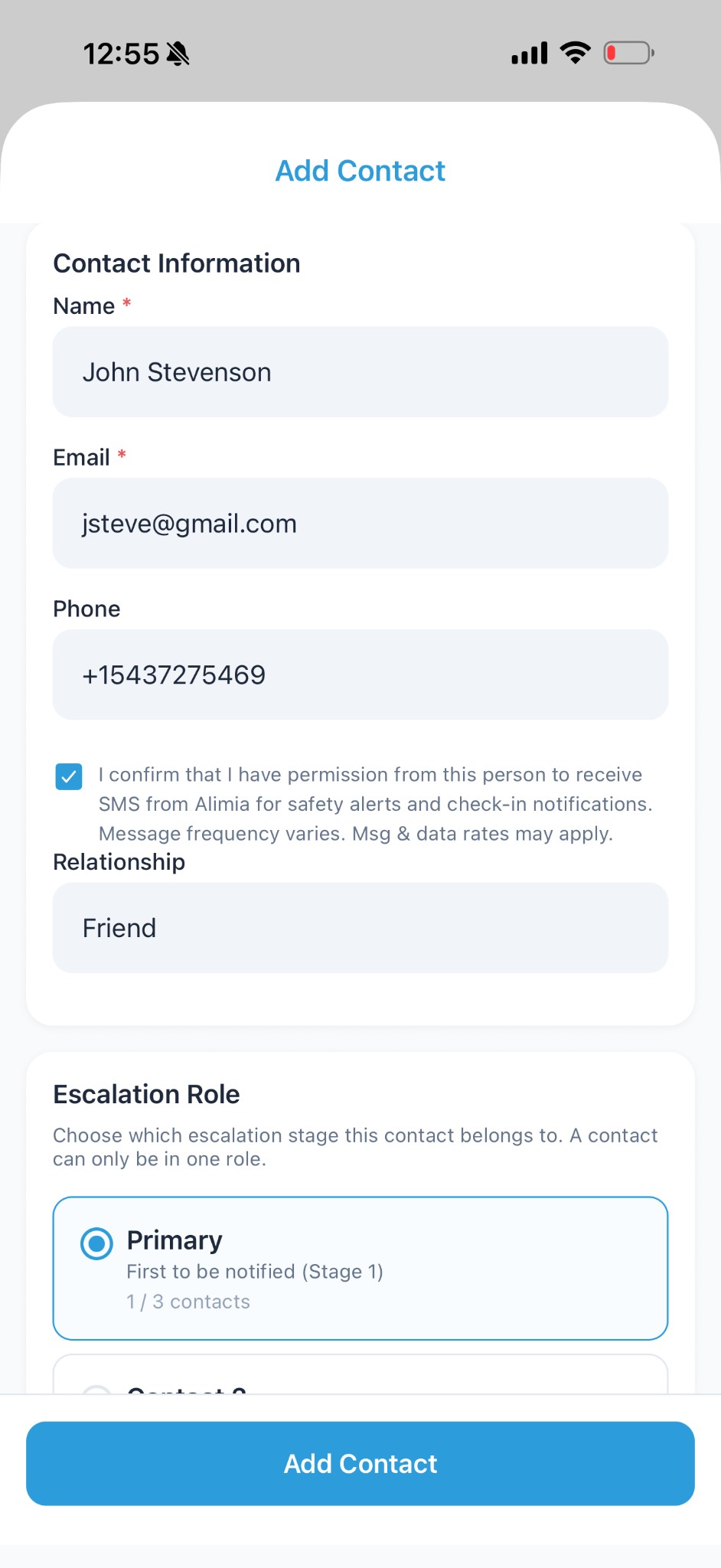
Screenshot
Add Contact screen showing phone field + SMS consent checkbox.
Consent text (exact wording)
When adding a trusted contact, users must confirm they have permission from the recipient before providing their phone number.
Checkbox text shown in app
“I confirm that I have permission from this person to receive SMS from Alimia for safety alerts and check-in notifications. Message frequency varies. Msg & data rates may apply.”
SMS disclosure (important)
The first SMS sent to a trusted contact includes:
- The name of the user who added them
- The purpose of the messages (safety alerts)
- Instructions to opt out at any time by replying STOP
- HELP for assistance
Example first SMS
Alimia alert: You were added as a trusted contact by [Name] for safety check-ins. You may receive alerts if they miss a check-in or request help. Reply STOP to opt out, HELP for help.